PokéCreator1
Publisher Description
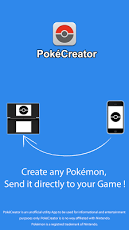
PokéCreator is an App that let you create custom Pokémon and send them directly and wirelessly to your games. It is compatible with Pokémon Black 2/White 2, Black/White, HeartGold/SoulSilver, Diamond/Pearl and Platinium.√ Want to complete your Pokédex?√ Want to amaze your friends with an awesome Pokémon team?√ Want to create a Dream Team for Random Matchup ?√ Tired of endless Leveling up, EVs training and Breeding?√ Want to be the best Trainer out there?With PokéCreator, you can achieve all of these and more. You can create any Pokemon from scratch by editing its:↪ Level↪ Nature↪ Ability↪ Held Item↪ Gender↪ Stats (EVs and IVs)↪ Moves↪ OT information↪ And much more...You can receive your Pokemon on : Nintendo DS, Nintendo DSi, Nintendo DS Lite, Nintendo DSi XL, Nintendo 3DS and Nintendo 3DS XL. in order to use this service, the only requirement, is that your game console can connect to Internet.PokéCreator is an unofficial utility App to be used for informational and entertainment purposes only. PokéCreator is in no way affiliated with Nintendo. Pokémon is a registered trademark of Nintendo.
About PokéCreator
The company that develops PokéCreator is Tchu. The latest version released by its developer is 1. This app was rated by 1 users of our site and has an average rating of 3.0.
To install PokéCreator on your Android device, just click the green Continue To App button above to start the installation process. The app is listed on our website since 2013-06-25 and was downloaded 121 times. We have already checked if the download link is safe, however for your own protection we recommend that you scan the downloaded app with your antivirus. Your antivirus may detect the PokéCreator as malware as malware if the download link to com.pokecreator.builder is broken.
How to install PokéCreator on your Android device:
- Click on the Continue To App button on our website. This will redirect you to Google Play.
- Once the PokéCreator is shown in the Google Play listing of your Android device, you can start its download and installation. Tap on the Install button located below the search bar and to the right of the app icon.
- A pop-up window with the permissions required by PokéCreator will be shown. Click on Accept to continue the process.
- PokéCreator will be downloaded onto your device, displaying a progress. Once the download completes, the installation will start and you'll get a notification after the installation is finished.
Program Details
System requirements
Download information
Pricing
Version History
version 1
posted on 2013-06-25
version 1
posted on 2013-06-25
Several fixes and updates
